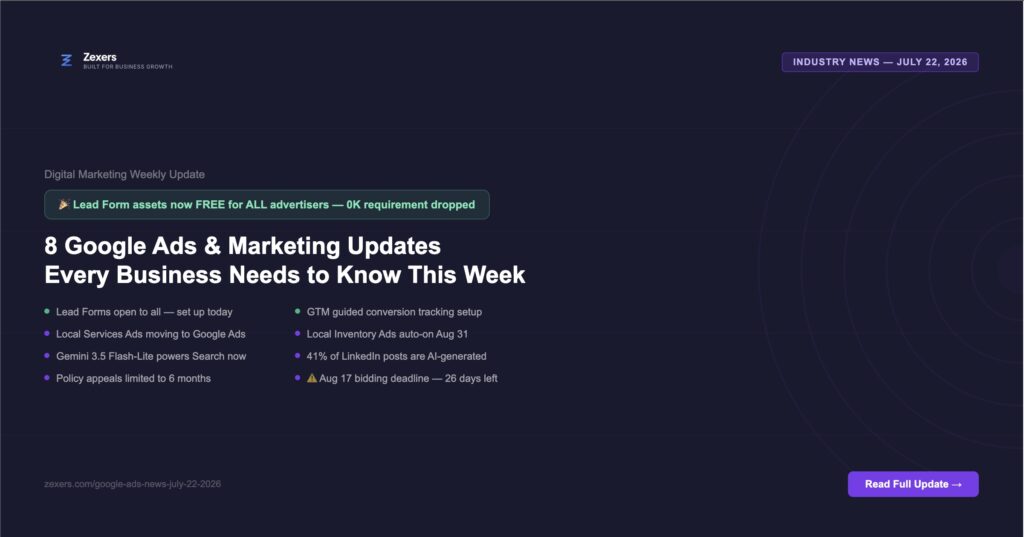
- Google Drops $50K Requirement — Lead Form Assets Now Free for Everyone
- Google Local Services Ads Moving Into Google Ads Platform
- Local Inventory Ads Enabled by Default from August 31
- Google Search Now Powered by Gemini 3.5 Flash-Lite
- Google Tag Manager Gets Guided Setup for Conversion Tracking
- Google Ads Policy Appeals Now Limited to 6 Months
- 41% of LinkedIn Posts Show Signs of AI — What This Means for Your Brand
- Google Ads Moves Missed Opportunities to Recommendations Tab
- What Every Business Should Do Right Now
- Frequently Asked Questions
This week in digital marketing has delivered a mix of genuinely useful new features, important deadline reminders, and a few changes that require immediate action from businesses running Google Ads. There’s also a notable data point about AI-generated content on LinkedIn that every business using social media needs to know about.
Here’s everything that matters this week — with clear action steps for each update.
1. Google Drops $50K Requirement — Lead Form Assets Now Free for Everyone
This is the most actionable update this week. Google has expanded access to its native lead generation format by removing the $50,000 ad spend requirement and introducing new integrations and simplified eligibility criteria.
Lead Form assets are now available to every Google Ads advertiser
Lead Form assets (formerly Lead Form extensions) let users submit their contact details directly within Google’s search results — without ever visiting your website. A user sees your ad, taps “Get a quote” or “Book a call”, fills in their name, email and phone number, and submits — all without leaving Google.
Why this matters for small and medium businesses:
- Previously only available to advertisers spending $50,000+ on Google Ads
- Now available to every advertiser regardless of spend level
- Eliminates the landing page step — reducing friction and improving conversion rates
- Works especially well on mobile where typing a URL is inconvenient
- New integrations allow leads to flow directly into your CRM or email system
What to do right now:
- Go to your Google Ads account
- Select any Search or Performance Max campaign
- Go to Assets → Add asset → Lead form
- Create a form with your headline, description, and the fields you need (name, email, phone)
- Set up a webhook or CRM integration so leads go directly to your sales team
- Set up an instant email notification so you can follow up within 5 minutes
Lead Form assets work best for service businesses — law firms, plumbers, medical practices, agencies, real estate — where the goal is a direct enquiry rather than a website visit.
2. Google Local Services Ads Moving Into Google Ads Platform
Google Local Services Ads are transitioning to the main Google Ads platform. This is a significant structural change for any local service business that runs Local Services Ads.
Local Services Ads will be managed inside Google Ads — not separately
Until now, Local Services Ads (LSAs) — the “Google Guaranteed” ads that appear at the very top of local search results — were managed through a completely separate platform at ads.google.com/local-services-ads. They’re now moving into the main Google Ads dashboard.
What this means practically:
- All your ad campaigns — Search, Display, Performance Max, and now LSAs — in one place
- Unified reporting across all campaign types
- Easier budget management across all Google advertising
- Potential for better cross-campaign optimisation as Google’s AI sees all your data together
What to do: If you run Local Services Ads, watch for migration notifications from Google. The transition should be automatic but check your LSA dashboard regularly during the transition period to ensure campaigns continue running without interruption.
3. Local Inventory Ads Enabled by Default from August 31
This update is specifically relevant for businesses with physical retail locations. Google confirms Local Inventory Ads will be automatically enabled for all Shopping campaigns starting from August 31st, aiming to enhance local shopping experiences.
Shopping campaigns will automatically show local inventory — opt out if needed
Local Inventory Ads show users that a product is available to buy in a nearby physical store — including real-time stock levels and store location. From August 31 this will be switched on automatically for all Shopping campaigns.
This is good news if:
- You have a physical retail location
- Your inventory data is accurate and up to date in Google Merchant Center
- You want to drive foot traffic as well as online sales
This needs attention if:
- Your inventory data in Google Merchant Center is outdated or inaccurate
- You are an online-only retailer with no physical store
- You don’t want to advertise local stock availability for any reason
What to do before August 31: Check your Google Merchant Center inventory feed. If your stock data is accurate and you have physical locations — great, no action needed. If your data is inaccurate or you’re online-only, go to your Shopping campaign settings and opt out of Local Inventory Ads before the automatic enablement date.
4. Google Search Now Powered by Gemini 3.5 Flash-Lite
Google Search has integrated the Gemini 3.5 Flash-Lite AI model for enhanced search experiences. This is the latest and most efficient version of Google’s Gemini AI — replacing the previous model powering AI Overviews and AI Mode.
Faster, smarter AI answers — and new citation card placements being tested
Gemini 3.5 Flash-Lite is faster and more efficient than its predecessor — which means AI Overviews will load faster and potentially appear on more queries. Google AI Mode and ChatGPT are also testing new citation card placements — meaning how your business gets cited in AI answers could look different soon.
What to do: The same content principles that helped you get cited before still apply — clear structure, direct answers, strong authorship signals. No immediate action needed, but monitor your Search Console impressions over the next 30 days to see if AI Overview appearances change for your key topics.
5. Google Tag Manager Gets Guided Setup for Conversion Tracking
GTM’s new guided setup simplifies Google Ads conversion tracking by automatically configuring key measurement components. This is a genuinely useful update for businesses struggling with conversion tracking setup.
Conversion tracking setup just got significantly easier
Setting up Google Ads conversion tracking through Google Tag Manager has historically required technical knowledge — understanding triggers, variables, and tag firing rules. The new guided setup walks you through the process step by step, automatically configuring the key components.
Who this helps most:
- Small businesses without a dedicated developer
- Businesses that have been putting off setting up conversion tracking
- Agencies onboarding new clients who need tracking set up quickly
What to do: If your Google Ads conversion tracking isn’t set up yet — now is the easiest time to do it. Go to Google Tag Manager, look for the guided setup option for Google Ads, and follow the steps. Accurate conversion tracking is the single most important technical foundation for any Google Ads campaign.
6. Google Ads Policy Appeals Now Limited to 6 Months
Starting July 21, 2026, the option to appeal a policy decision directly from your Google Ads account will not be available for policy decisions made more than 6 months prior.
You have 6 months to appeal any Google Ads policy decision
If Google flags one of your ads or your account for a policy violation, you now have a 6-month window to appeal that decision directly from your Google Ads account. After 6 months, the in-account appeal option disappears — though you may still be able to contact support through other channels.
What to do:
- Check your Google Ads account for any existing policy violations or disapproved ads
- If you have any policy decisions older than 5 months that you haven’t appealed — do it now before the window closes
- Going forward, address any policy violations promptly — don’t let them sit unresolved
- Go to Policy Manager in Google Ads to see all current and historical policy decisions
7. 41% of LinkedIn Posts Show Signs of AI Generation — What This Means for Your Brand
A recent report from Pangram estimated that 41% of posts on LinkedIn showed signs of AI generation, highlighting a growing problem across all apps. And at the recent Cannes Lions Festival, Reddit’s EVP of community told brands to “act like a citizen, not like a billboard.”
AI-generated content is flooding social media — and audiences are noticing
When nearly half of LinkedIn posts are AI-generated, the feed becomes homogenous. Every post sounds the same. Every insight feels recycled. Users scroll past without engaging because nothing feels genuine.
This creates a significant opportunity for businesses willing to show up as real humans with real opinions and real expertise.
What separates content that gets engagement in 2026:
- Specific real-world examples — “We ran this campaign for a law firm last month and here’s what happened” beats any generic tip
- Genuine opinions — take a position, disagree with conventional wisdom, share what you actually think
- Behind-the-scenes reality — show the process, the mistakes, the iterations — not just the polished outcome
- Client results with specifics — “Generated 47 leads in 30 days at $28 CPL” is infinitely more compelling than “we help businesses grow”
Use AI to help you write faster — but always add your own voice, your own experience, and your own specific examples. That’s what 59% of LinkedIn is not doing right now. It’s your competitive advantage.
8. Google Ads Moves Missed Opportunities to Recommendations Tab
Google Ads has relocated the “Missed Opportunities” report to the Recommendations tab. This is a minor interface change but worth knowing so you can find it.
Where to find Missed Growth Estimates in your Google Ads account
The Missed Opportunities report — which shows you estimated performance you could have achieved with different budget, bidding, or targeting settings — has moved from its previous location to the Recommendations tab in Google Ads.
What to do: Go to Recommendations in your Google Ads account. You’ll now see both Google’s optimization suggestions and the missed growth estimates in the same place. Review these monthly — they can highlight genuine opportunities to improve campaign performance, though treat Google’s suggestions with appropriate scepticism since some recommendations benefit Google’s revenue more than your results.
What Every Business Should Do Right Now
7 things to do — in order of impact
- TODAY — Set up Lead Form assets
Go to Google Ads → any Search campaign → Assets → Lead form. Create a form and set up instant lead notifications. This is now available to everyone and could immediately increase your lead volume. - THIS WEEK — Check for unappealed policy violations
Go to Policy Manager in Google Ads. If you have any violations older than 5 months — appeal them now before the 6-month window closes on July 21 decisions. - BEFORE AUGUST 31 — Review Local Inventory Ads setting
If you run Shopping campaigns, check whether automatic Local Inventory Ad enablement is right for your business. Opt out if your inventory data is inaccurate or you’re online-only. - THIS WEEK — Set up GTM conversion tracking if not done
Use the new guided setup in Google Tag Manager to get conversion tracking properly configured. This is the most important foundation for any Google Ads campaign. - ONGOING — Watch your Local Services Ads during migration
If you run LSAs, monitor them through the transition to the main Google Ads platform. Ensure campaigns don’t drop during migration. - ONGOING — Make your social content genuinely human
With 41% of LinkedIn posts AI-generated, standing out is easier than ever — just be real. Add specific examples, genuine opinions, and real client results to everything you post. - ⚠️ REMINDER — August 17 bidding deadline is 26 days away
If you haven’t checked your budget-limited campaigns yet — do it today. Lower your Target CPA or ROAS targets to match your actual performance before August 17.
Want Help Implementing These Updates?
Book a free strategy call with Zexers. We’ll set up Lead Form assets, check your conversion tracking, and make sure your campaigns are ready for every upcoming deadline — no fluff, no obligation.
Book My Free Strategy CallFree call. No commitment. Response within 1 business day.